The Program Editor
Bu içerik henüz dilinizde mevcut değil.
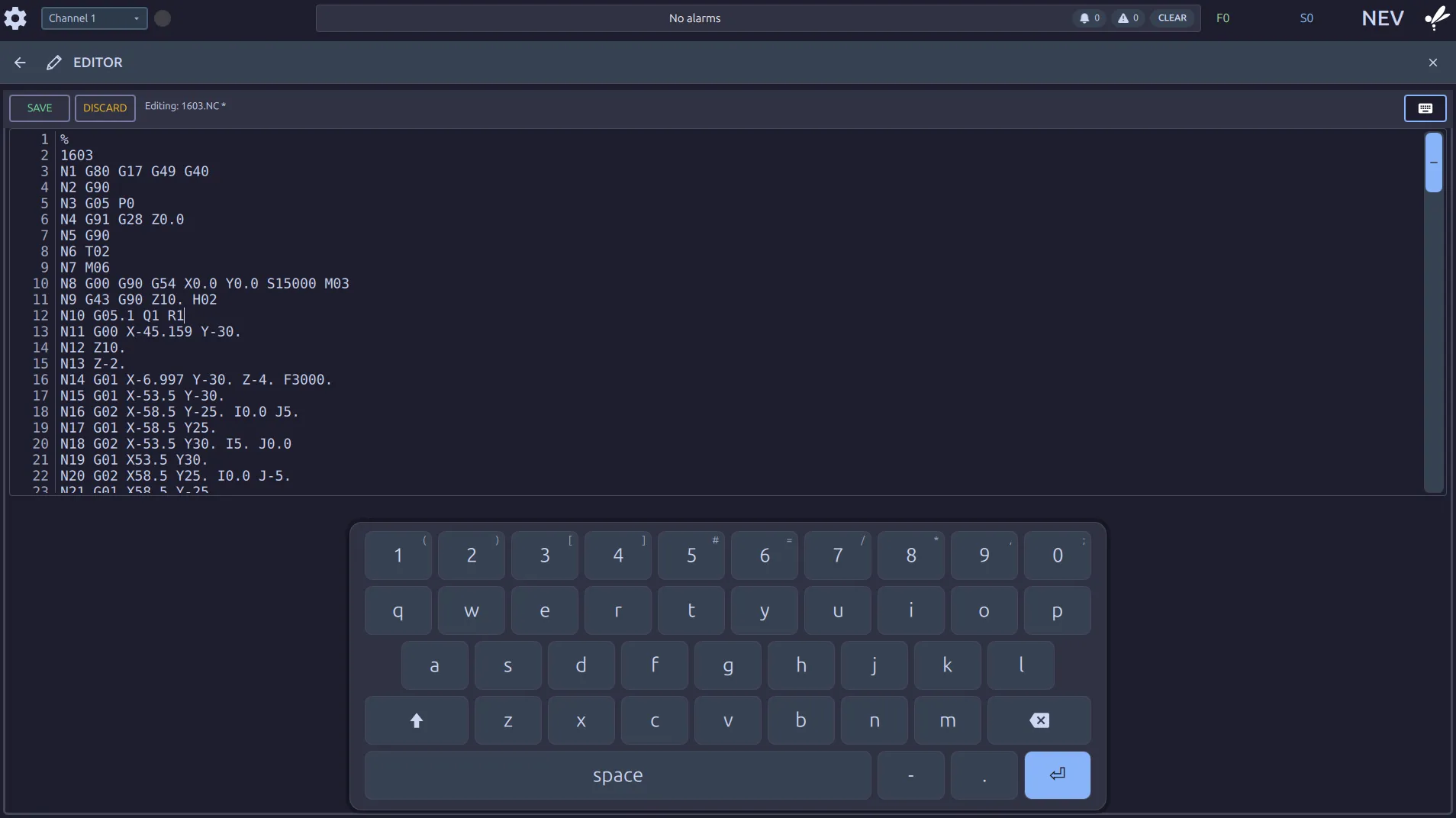
The editor opens the program’s own text, with line numbers. Type in it as you would anywhere; the keyboard icon brings up the on-screen keyboard when there is no keyboard at the panel.
Saving
Section titled “Saving”The label reads Editing: 1603.NC. An asterisk after the name means you have unsaved
changes.
SAVEwrites them to the program.DISCARDthrows them away and brings back the last saved text. It is only offered while there is something to throw away.
Editing while the machine runs
Section titled “Editing while the machine runs”Editing the loaded program does not change the run in progress. The machine works from what it read when the program started.
A very large program opens at its beginning only. The editor tells you when it has done this. Saving keeps the rest of the file.
Where to go next
Section titled “Where to go next”- Selecting & Loading a Program: getting a program onto the machine.
- G & M Code List: what the control accepts.