Selecting & Loading a Program
Bu içerik henüz dilinizde mevcut değil.
PROGRAMS lists what is on the machine. Pick one, press LOAD, and it becomes the
program cycle start will run.
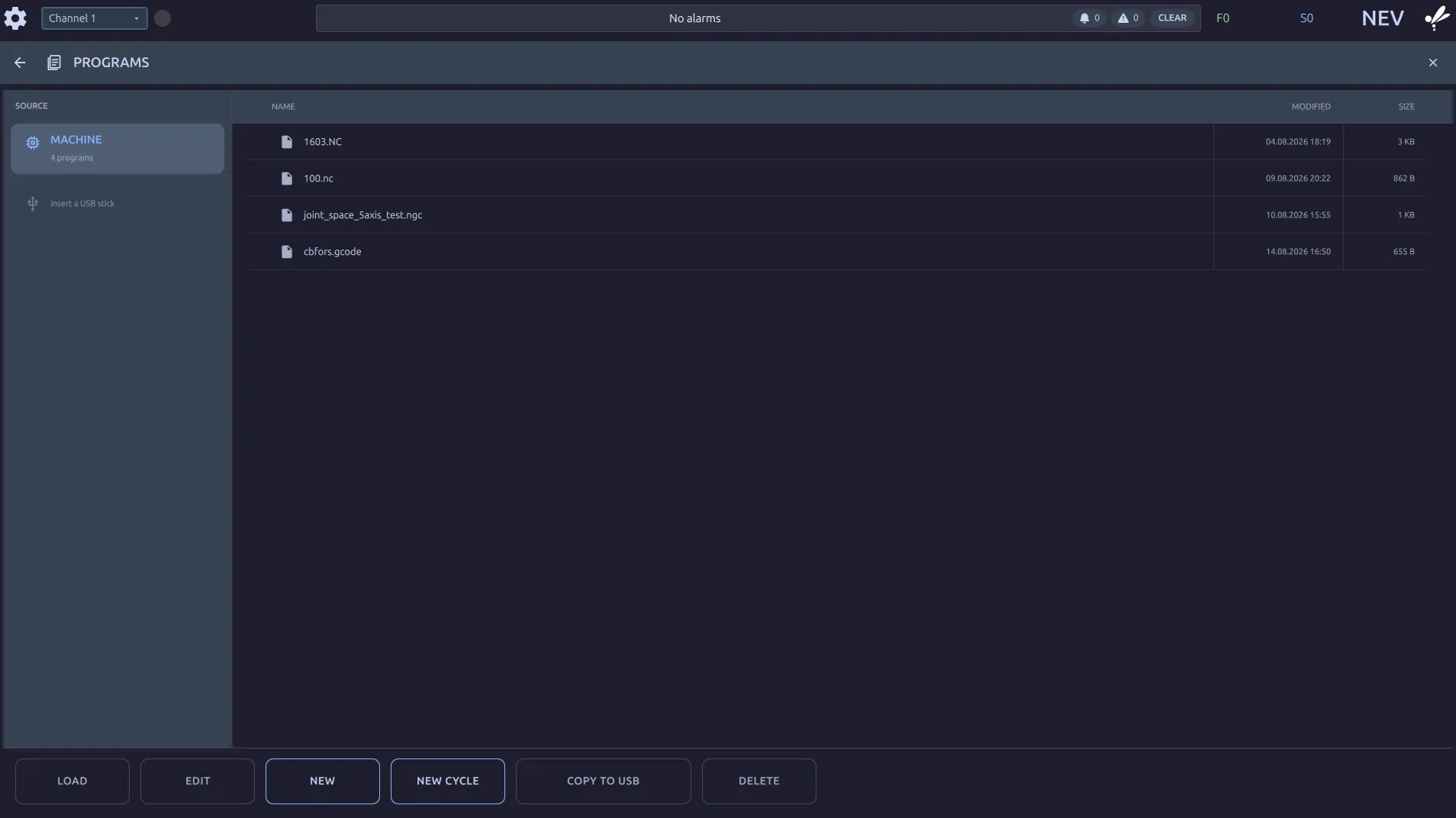
You can also load from the AUTO screen without coming here: the Program box lists the
same programs, and LOAD beside it does the same job.
The softkeys
Section titled “The softkeys”| Key | Does |
|---|---|
LOAD | make this the program the machine will run |
EDIT | open it in the editor |
NEW | start an empty program |
NEW CYCLE | start one on the Cycle Programming form instead |
COPY TO USB | copy it to the stick |
DELETE | remove it from the machine |
SOURCE shows MACHINE and, once a stick is in, the stick. Programs are listed the same
way from either. A program on a stick is copied onto the machine when you load it. The
machine never runs from the stick, so pulling it out mid-job cannot stop a program.
Programs written in inches
Section titled “Programs written in inches”The machine works in millimetres: the offset tables, the position display and everything you type on the panel are mm.
A program in inches still runs. G20 tells the control the program’s numbers are inches
and it converts them; G21 switches back. The displays stay in millimetres either way, so
a program that opens with G20 will show a Z-0.5 block running to −12.7 on screen. That
is correct.
A program that should be inches and does not say G20 runs its numbers as millimetres. It
will cut small and it will not warn you. Check the top of a program you did not write.
When a load is refused
Section titled “When a load is refused”LOAD is unavailable while a program is running. Nothing is refused with a message;
the key is not offered until the machine is free.
Loading replaces the loaded program. There is one at a time.
Loading starts the program from the top. To carry on from somewhere else, use Block Search.
The machine can load a program without LOAD. On a machine set up for it, scanning a
label or a code from a host selects the program by its name, the same way LOAD does and
with the same rule about a running program. A scan that matched nothing is in
Messages as External read <label> not selected.
Where to go next
Section titled “Where to go next”- Start, Feed Hold & Reset runs the program you loaded.
- The Program Editor changes it first.
- External Program Selection: setting up a scanner or a host to select the program.